TENSA
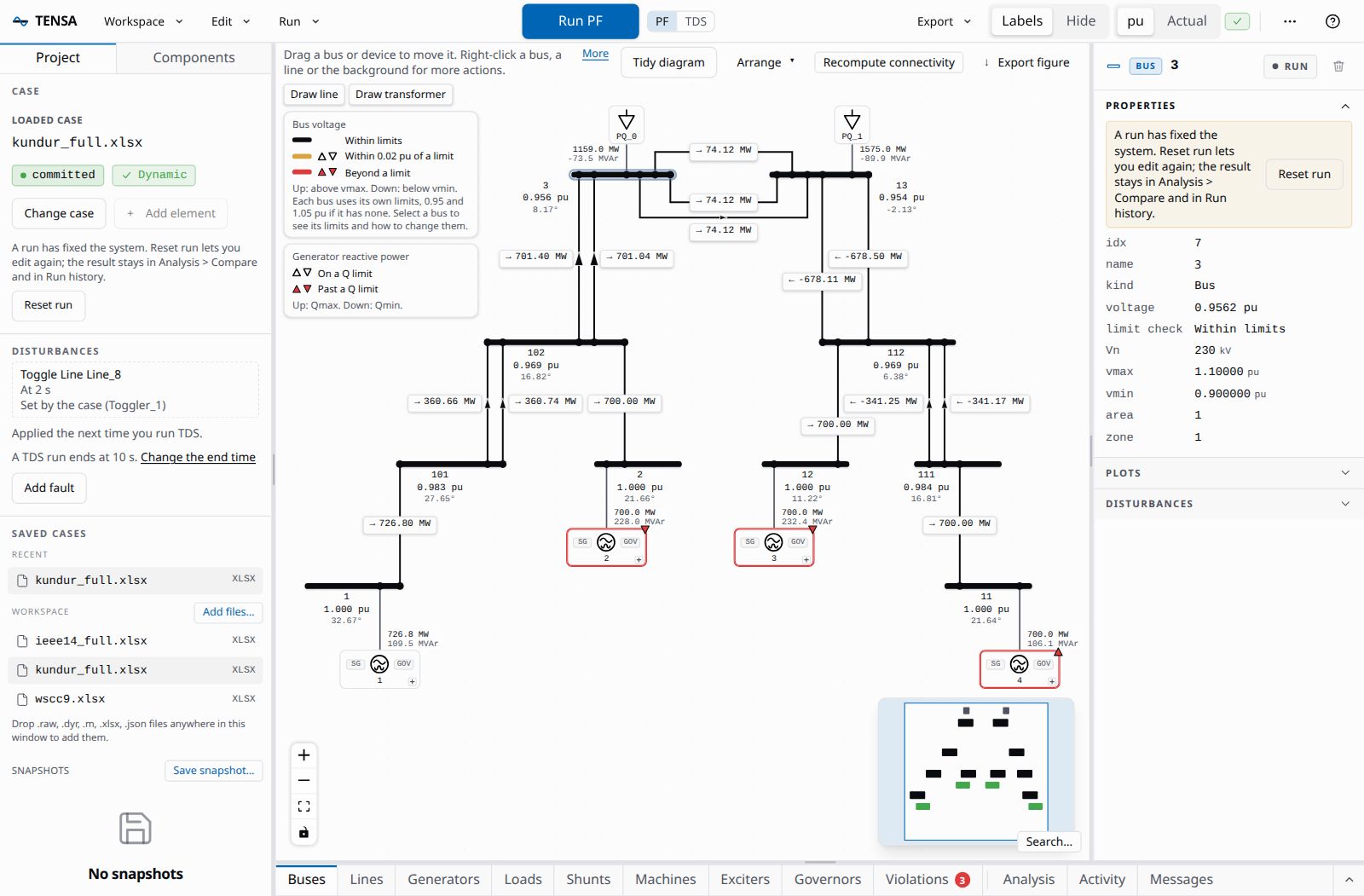
Transients, Eigenvalues & Network Simulation Application is an interactive, web-based workbench for power system modeling, simulation and analysis. You build a system visually, run power flow and dynamic studies with one click, watch the results stream in while a run is still going, and drive the same operations from a documented API. It runs on your own machine, in your browser.
TENSA is built on ANDES, the power system simulator from CURENT, which does the computation. TENSA adds the workbench around it: the one-line diagram, the tables, the plots, the job handling, and an HTTP and WebSocket API that scripts and AI agents can use as well as the UI can.
What you can do
- Build or open a system. Open one of the example cases (IEEE 14, Kundur and WSCC 9-bus), drop in your own
.xlsx,.raw,.dyr,.mor.jsonfiles, or start blank and add buses, lines, transformers, generators, exciters, governors, a battery, loads and shunts from the UI. - Run five analyses. Power flow, time-domain simulation, eigenvalue (small-signal) analysis, continuation power flow with PV and QV curves, and state estimation. Each runs as a job you can watch and cancel.
- Disturb the system. Bus faults, line or device trips, and scheduled parameter changes, applied in a time-domain run.
- Read the results. Voltage, flow and loading on the diagram, tables of every device, plots with cursors and response metrics, a list of the limits a power flow breaks, and a comparison of two power flows.
- Keep and share them. Save a system, take snapshots, export a self-contained HTML report, a COMTRADE record, CSV, or a reproducibility bundle.
- Automate it. Everything the UI does goes through the API, so a script or an agent can do it too, and an MCP server lets an assistant such as Claude run simulations as tools.
Where to go next
| If you want to | Read |
|---|---|
| Install TENSA on Linux, macOS or Windows | Install |
| Load a case, run a power flow and a fault study | Quick start |
| Know what each part of the window does | UI tour |
| Understand sessions, the workspace and why a run locks the case | Concepts |
| Drive TENSA from a script | API guide and the route reference |
| Let an AI assistant run simulations | Agents and MCP |
Look up a tensa command or option |
Command line reference |
| Fix something that does not work | Troubleshooting |
Good to know
- It is local. The server binds to loopback by default, there is no account, and nothing phones home. It has no authentication, so it trusts the user who runs it. Concepts says what that means for case files and for network access.
- Versions. These pages describe the version of TENSA in the repository they were built from.
tensa --versionprints the TENSA and ANDES versions you have installed. - License. TENSA is released under the GNU General Public License v3.0, the same license as ANDES.